
لا توجد منتجات في سلة التسوق.
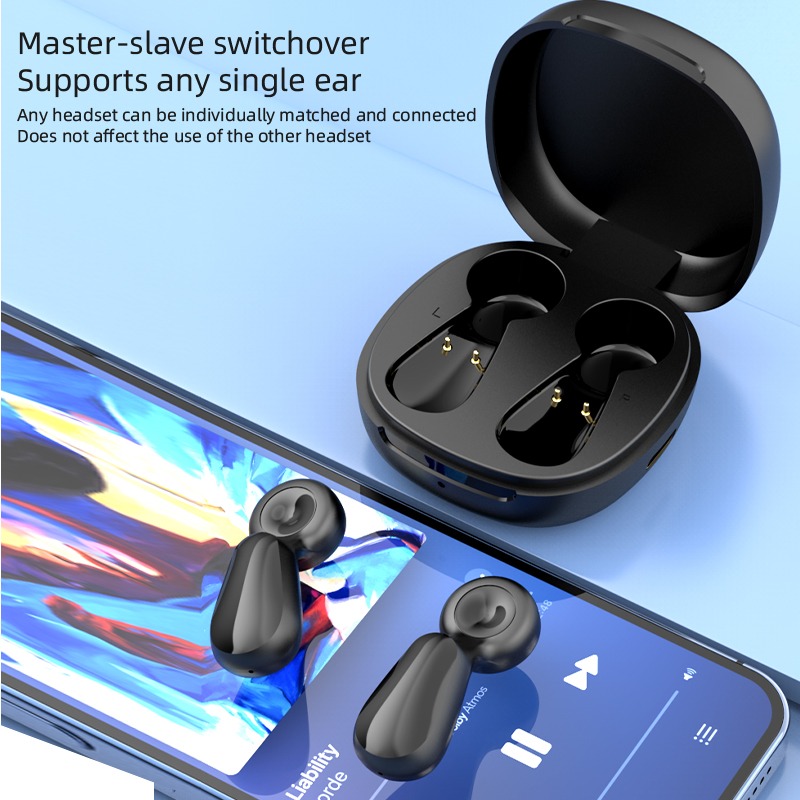
How to Clean Your OVLENG Wireless Charging Earbuds Case to Prevent Charging Failure?
Do your earbuds suddenly refuse to charge? This common issue frustrates many music lovers. Often, the problem is not a broken battery. Instead, simple dirt blocks the electrical flow.
Dust and earwax collect inside the case over time. These particles settle on the tiny charging pins. بالتالي, your OVLENG Wireless charging earbuds lose their connection. Proper maintenance is the best way to prevent this.
A clean case ensures a fast and reliable charge. It also extends the overall lifespan of your device. This guide teaches you professional cleaning techniques. Let’s restore your power and get back to your music.
Why Cleaning Your Case is Crucial for Performance
Your charging case is a high-tech power station. It uses precise metallic contacts to transfer energy. Even a microscopic layer of oil can cause failure.
The Danger of Debris Accumulation
Small lint from your pockets often enters the case. Earwax from the buds also migrates to the bottom. These materials act as insulators against electricity. لذلك, the case cannot “see” the earbuds inside.
Preventing Permanent Hardware Damage
Dirt can hold moisture against the metal pins. This moisture leads to oxidation or green corrosion. If corrosion grows, the pins may snap or stick. Regular cleaning prevents these expensive hardware disasters.
Essential Tools for Safe Cleaning
You do not need expensive specialized equipment. Most household items will work perfectly for this task.
-
Isopropyl Alcohol (70% or higher): It evaporates quickly and removes oils.
-
Cotton Swabs: These reach the deep corners of the case.
-
Soft Bristle Brush: An old toothbrush works great for dry debris.
-
Microfiber Cloth: Use this for the exterior and wireless pad.
-
Wooden Toothpick: This helps scrape stubborn grime safely.

Step-by-Step Guide to Cleaning Your OVLENG Case
Follow these steps to ensure a deep, safe clean. Always handle your OVLENG Wireless charging earbuds with care.
1. Remove the Earbuds First
Never clean the case with the buds inside. This prevents alcohol from entering the earbud drivers. Set the earbuds aside on a clean surface.
2. Dry Brush the Charging Interior
Use your soft brush to sweep out loose dust. Turn the case upside down while brushing. This allows the dirt to fall out easily.
3. Clean the Metallic Charging Pins
Dip a cotton swab in a little alcohol. It should be damp, not dripping wet. Gently rub the pins at the bottom of the wells. [Image showing a swab cleaning the golden pins inside an earbud case] This removes skin oils and sticky wax.
4. Detail the Lid and Seams
Dirt often hides in the magnetic closure area. Use a toothpick to flick out compressed lint. Wipe the entire lid with your microfiber cloth. This ensures the case closes tightly every time.
5. Wipe the Wireless Charging Base
Clean the bottom exterior of the case. Dust here can interfere with wireless charging pads. A clean surface improves heat dissipation during charging.
How to Clean the Earbuds Themselves
A clean case stays clean only if the buds are tidy. You must address the contact points on the earbuds too.
Clean the Charging Contacts
Look for the small gold squares on each earbud. Use your alcohol swab to wipe them clean. Ensure they are bright and shiny before docking.
Refresh the Ear Tips
Remove the silicone tips and wash them with soap. Dry them completely before putting them back on. This prevents moisture from entering the OVLENG Wireless earbuds case.
Common Mistakes to Avoid During Maintenance
Improper cleaning can do more harm than good. Avoid these traps to keep your warranty valid.
-
Avoid Sharp Metal: Never use needles or safety pins. Metal can scratch the plating or cause a short.
-
No Excessive Liquid: Do not pour alcohol into the case. Excess liquid can seep into the internal circuit board.
-
Skip the Blow Dryer: High heat can melt the plastic or damage glue. Let the case air dry for five minutes instead.
Troubleshooting Persistent Charging Failures
If cleaning does not work, check these other factors.
Verify the Power Source
Test your USB cable on another device. Sometimes the cable or wall adapter is the culprit. Ensure you use a high-quality Type-C cable for OVLENG.
Check for Stuck Pins
Gently press the pins with a dry swab. They should spring back up smoothly. If a pin stays down, it cannot touch the earbud. A tiny drop of alcohol can sometimes loosen a stuck pin.
Reset the Bluetooth Connection
Sometimes software glitches prevent the charging light from showing. Follow your manual to perform a factory reset. This often clears communication errors between the buds and case.
Recommended Maintenance Schedule
| Task | Frequency | Benefit |
| Microfiber Wipe | Daily | Removes fingerprints and oils |
| Internal Brushing | Weekly | Prevents lint buildup |
| Alcohol Pin Clean | Monthly | Ensures perfect electrical flow |
| Tip Deep Clean | Monthly | Improves hygiene and comfort |

Why OVLENG Users Love Reliable Power
OVLENG Wireless charging earbuds are designed for active lifestyles. They handle gym sessions and long commutes with ease. لكن, sweat and outdoor dust are unavoidable.
By following this guide, you maintain that “new” performance. You avoid the stress of a dead battery before a meeting. Consistent care reflects the quality of the OVLENG brand. It shows you value your high-fidelity audio investment.
خاتمة
Cleaning your case is a simple but vital habit. It prevents charging failure and keeps your music playing. Most issues vanish with a bit of alcohol and a swab. Remember to clean both the pins and the earbud contacts. Stay away from metal tools and excess water. Regular maintenance keeps your OVLENG earbuds in top shape. Don’t wait for a failure to take action. Spend five minutes today to protect your favorite gear. Your ears will certainly thank you during your next listen.


عن المؤلف

المشاركات ذات الصلة

Modern lifestyle often demands constant audio connectivity. We listen to music during commutes and work. لكن, traditional in-ear buds present several health risks. Many users now report ear fatigue and hearing loss. بالتالي, people seek safer alternatives for daily listening. Square frame audio sunglasses represent a revolutionary design shift. They blend stylish eyewear with open-ear sound technology. This approach offers a... مواصلة القراءة

لماذا تعتبر سماعات الرأس بلوتوث الموثوقة أثناء السفر ANC الحل الأمثل لاضطراب الرحلات الجوية الطويلة?
هل تهبط وأنت تشعر بالإرهاق والدوار بعد الرحلات الطويلة؟? ✈️ اضطراب الرحلات الجوية الطويلة يدمر الأيام الأولى من إجازتك أو رحلة عملك. خاصة, الطائرات بدون طيار ذات المحركات الصاخبة والأطفال البكاء يعطلون ساعتك الداخلية. عقلك يكافح من أجل الراحة في مكان صاخب, المقصورة المضغوطة اليوم. بالتالي, تصل إلى وجهتك وأنت تشعر بالإرهاق التام. أنت بحاجة إلى طريقة لإنشاء ... مواصلة القراءة

هل تعاني من سقوط سماعات الأذن في منتصف عملية التجشؤ؟? 🏋️♂️ غالبًا ما تفشل سماعات الرأس القياسية أثناء التدريب المتقطع عالي الكثافة (HIIT). أنت بحاجة إلى معدات تتناسب مع طاقتك المتفجرة اليوم. العثور على أفضل سماعات للتمرين هو أكثر من مجرد صوت. يتعلق الأمر بالمتانة, سيطرة, والموثوقية الكاملة. معظم الناس يضيعون المال على الهشة, نماذج غير مقاومة للماء الآن. بالتالي, تموت موسيقاهم عندما... مواصلة القراءة

هل تكره أسلاك سماعات الأذن المتشابكة؟? خاصة, هل تجد شاشات الهاتف تشتت انتباهك? كثير من الناس يعانون من تعدد المهام اليوم. نحن نصل باستمرار إلى جيوبنا. لكن, وهذا يعطل تركيزنا وتدفقنا. لذلك, نحن بحاجة إلى واجهة أفضل. توفر النظارات الصوتية المزودة بعناصر تحكم باللمس حلاً مثاليًا. إنهم يمزجون الأسلوب مع التكنولوجيا المتقدمة. بالتالي, يمكنك التحكم في عالمك بنقرة واحدة... مواصلة القراءة

هل تحب ألعاب الماراثون? خاصة, هل تلعب لساعات? يواجه العديد من اللاعبين مشكلة شائعة. تؤلم آذانهم بعد ساعة واحدة فقط. أو ربما تبدو عصابة الرأس ثقيلة جدًا. معظم الناس يشترون من أجل المظهر فقط. لكن, المظهر لا يوفر الراحة. لذلك, يجب أن تنظر بشكل أعمق. تتطلب سماعة الألعاب عالية الجودة للكمبيوتر الشخصي ميزات مخفية محددة. هذه التفاصيل تؤكد ... مواصلة القراءة



أضف تعليقا